Days
Every day becomes a story you can read — a hero image, the moments in order, and the words you spoke about them.
Life Capture
A private, Apple-native journal that turns your photos and voice notes into a magazine of your own life.
Every day you already make a record — photos on your phone and a few words said out loud about what mattered. Life Capture Studio, the Mac app, gathers those moments and composes them into days you can actually read, places you can wander, and a monthly magazine of your life.
Everything happens on your Mac. No account, no cloud, no ads, no tracking. Your memories stay in a plain, portable archive that belongs to you.
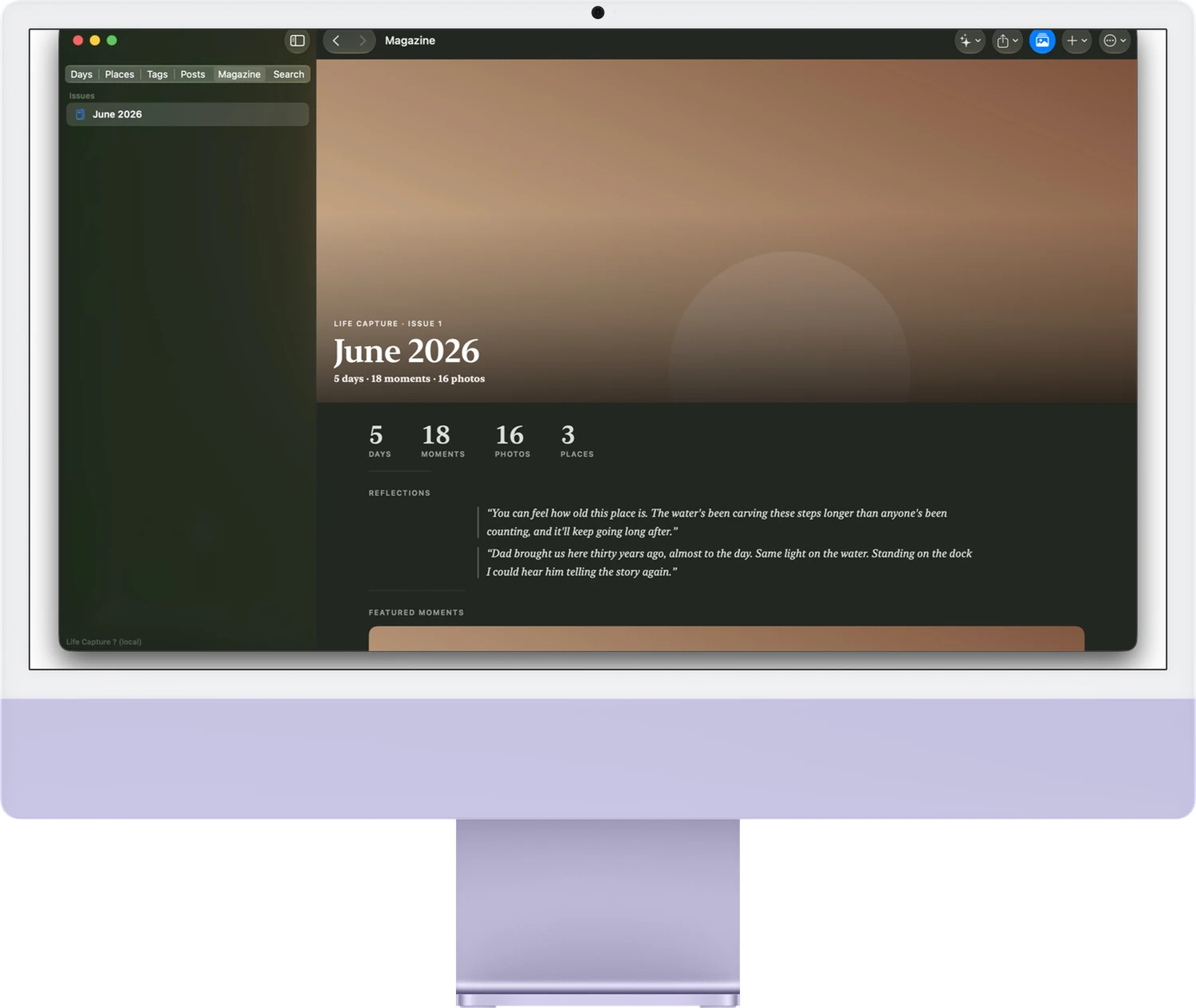
Photo apps store pictures. Assistants answer questions. Life Capture does something different: it publishes your life back to you — as daily stories, a map of where you have been, and a magazine you will want to keep.
The day reader
Capture is meant to be effortless. Snap a few photos of a moment, say a sentence about why it mattered, and move on. That voice note is the memory — Life Capture treats what you actually said as the heart of the story.
On your Mac, it transcribes your voice on-device, reads your photos with Apple Vision, and composes the day into a narrative you can read start to finish — each moment in its own words, a drop-cap opening, and a magazine-style hero image.
The writing is drafted on your Mac, from your material. AI is the editor, never the author: it arranges and polishes what you gave it, and never invents a memory you did not live.
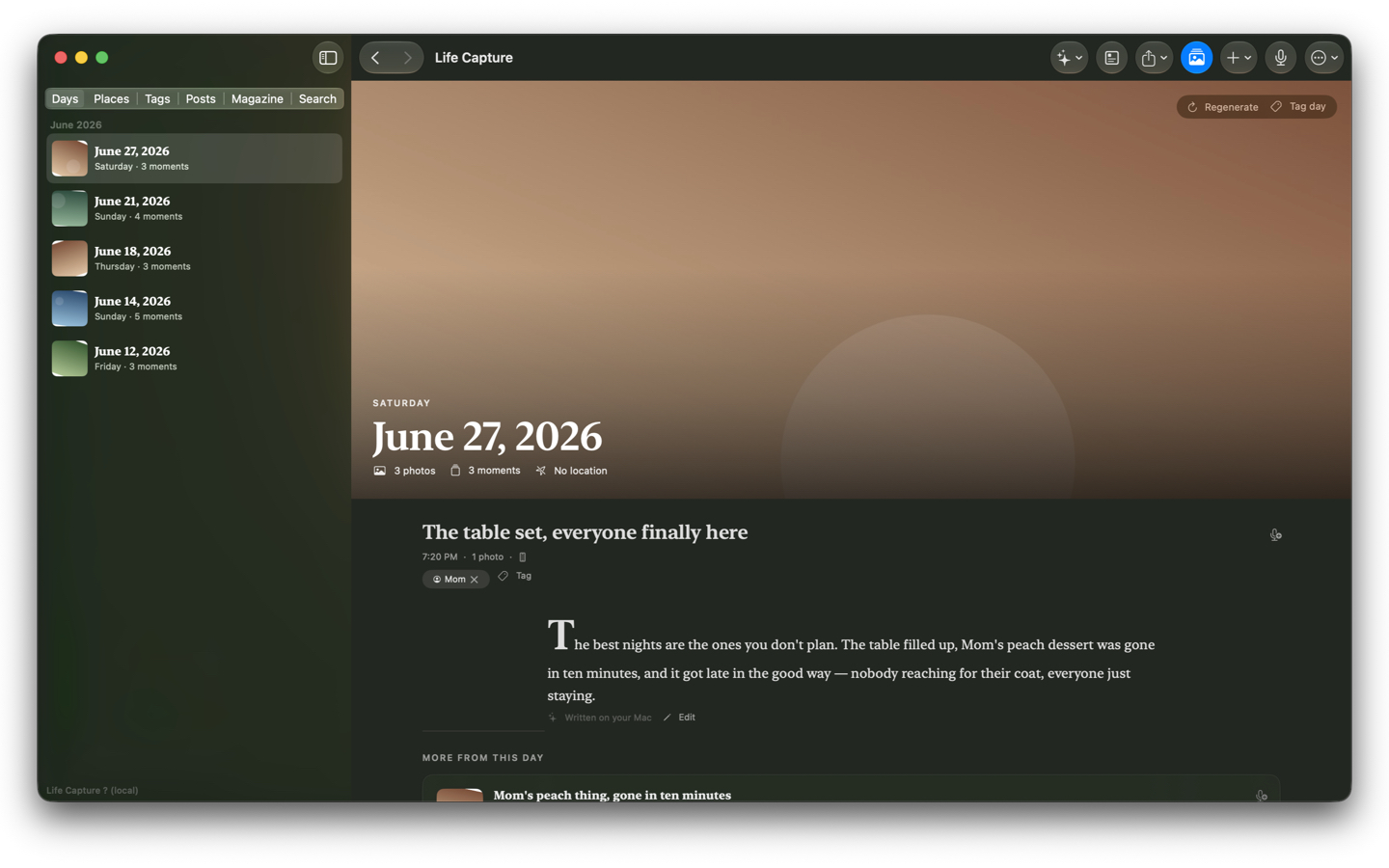
The same moments, seen through whichever lens fits your memory.
Every day becomes a story you can read — a hero image, the moments in order, and the words you spoke about them.
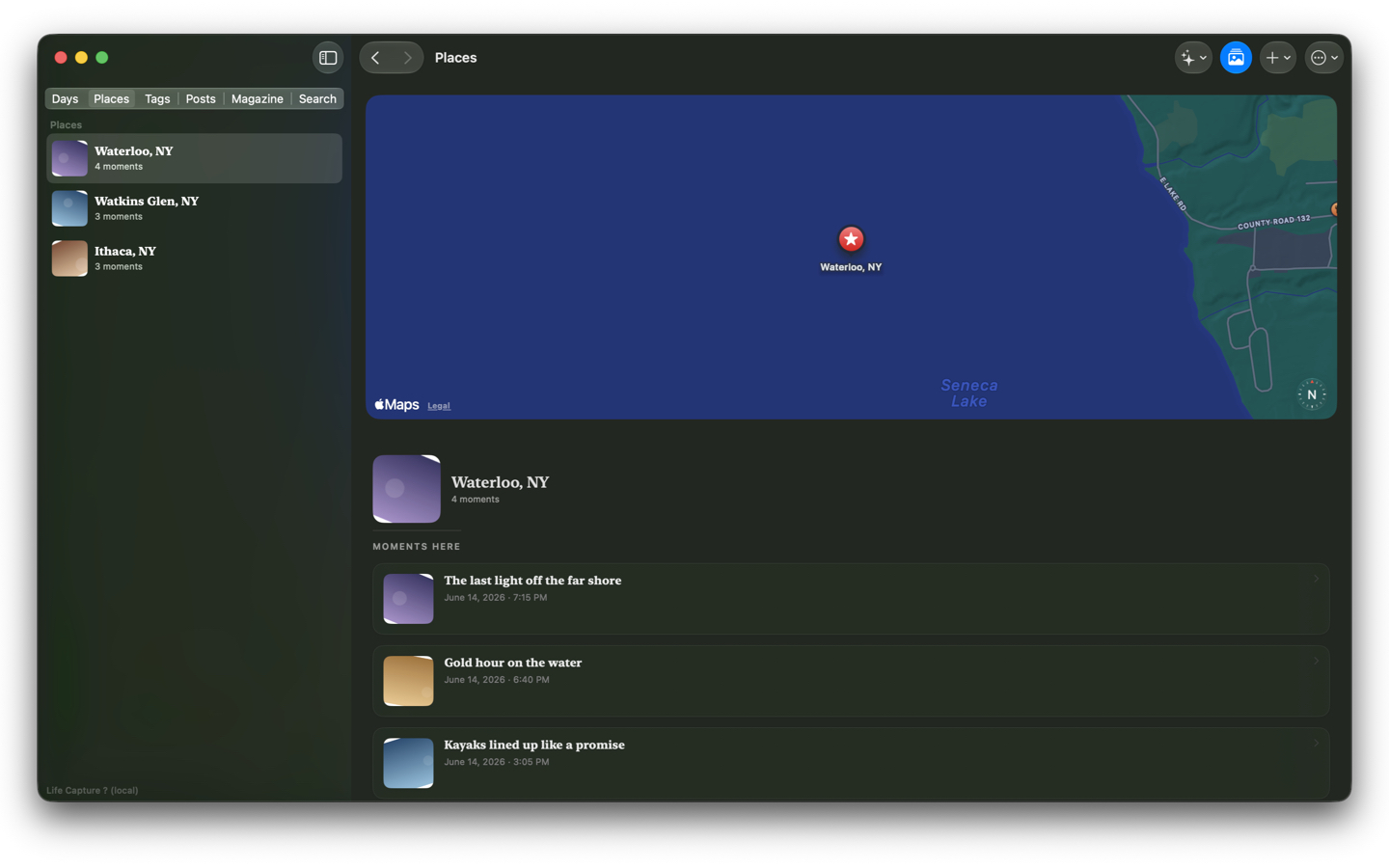
Your moments on a map. Wander by the lake, the trip, or the town — grouped by where life actually happened, with Apple Maps.
Tag the people, places, and trips that matter, then follow Mom — or a whole summer — across everything you have captured.
Compose longer stories that span days — a trip, a season, a milestone — in the same clean magazine typography.
The flagship
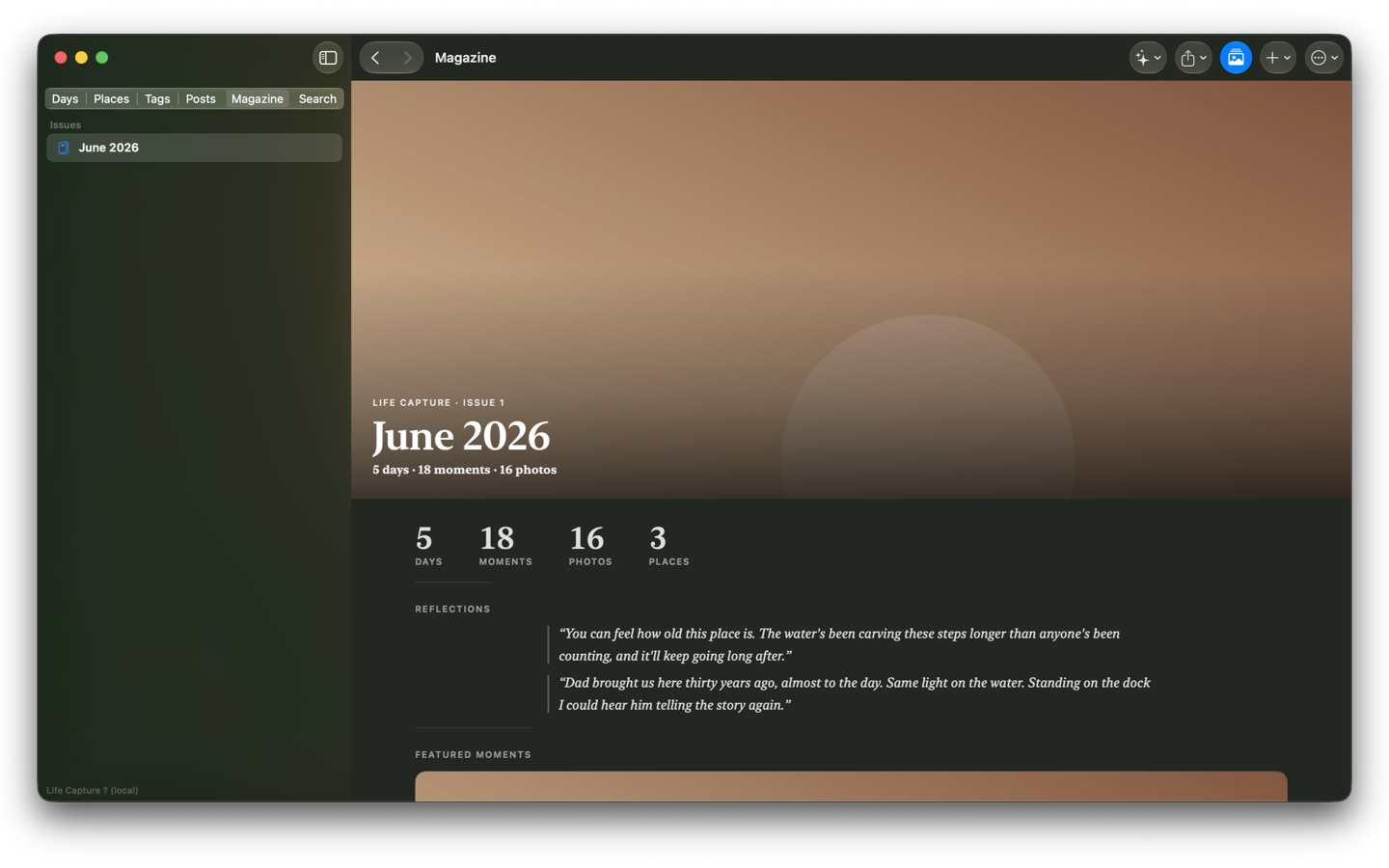
Once a month, Life Capture gathers your best moments into a magazine issue — a cover, your month in numbers, reflections drawn straight from your own voice notes, and the moments worth remembering.
Read it in the app, or export a real PDF to keep, print, or share with family. It is the closest thing to a yearbook your everyday life has ever had.
Lenses and publications
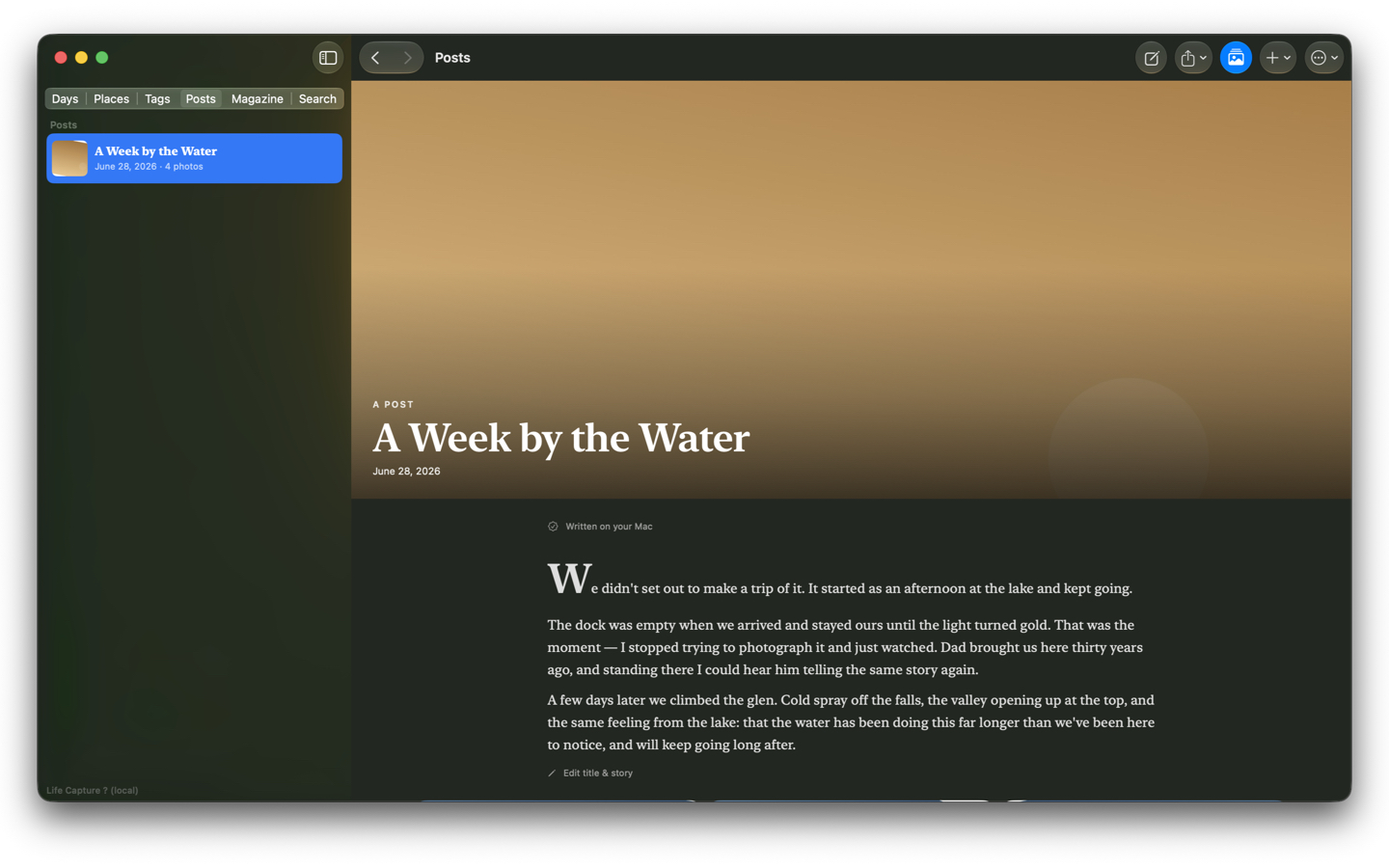
Follow your life across a map of the places it happened, or gather a stretch of days into a single composed post — both drawn from the same moments, in the same quiet magazine style.
Life Capture is built the opposite way from most modern software: it keeps your memories close, not in someone else's cloud.
There is nothing to sign up for. You never hand your memories to a company in order to use the app.
Transcription and photo understanding run locally with Apple's own frameworks. Your captures are never sent to a cloud AI.
Everything is stored as plain folders, JSON, Markdown, and your original files — inspectable, and yours to move or back up.
No advertising identifiers, no analytics, no subscription treadmill. The app works for you, not the other way around.
Life Capture collects no data, requires no account, and sends nothing to a cloud. Here is exactly what that means, in plain terms.
The most important part of a moment is not the photo — it is what you would say about it. Life Capture is built around that: speak, and your own words become the story. Everything else is just the app getting out of the way.
Life Capture Studio, the Mac app, is in App Store review now. Life Capture Pocket — a free iPhone companion — follows: snap and speak in the moment, and let Studio on your Mac do the rest.
Want to know when it ships? Reach Greg at greg@gregstoltz.com.
Answers to common questions, and a way to reach a human.